


Download the files
- html_to_pdf.py: the complete script shown below
- requirements.txt: its one dependency, requests
- invoice.html: the example invoice from the invoice PDF guide, to convert first
Install and set your key
The script needs Python 3.9 or newer and the requests package. Create an API key in the portal and keep it in the IRONFANG_API_KEY environment variable rather than in the file.
python -m venv .venv
. .venv/bin/activate
pip install -r requirements.txt
export IRONFANG_API_KEY="if_live_..."
The script
"""Convert an HTML file to PDF with the Ironfang Render API.

Usage:
    export IRONFANG_API_KEY="if_live_..."
    python html_to_pdf.py invoice.html invoice.pdf

The HTML is sent to the hosted API and the PDF comes back in the response.
Needs Python 3.9 or newer and the requests package.
"""

import os
import sys
from pathlib import Path

import requests

API_URL = "https://api.ironfang.uk/render/v1/pdf"

FOOTER = (
    '<div style="font-size:9px;width:100%;text-align:center;'
    'color:#666;font-family:sans-serif">'
    'Page <span class="pageNumber"></span> of <span class="totalPages"></span>'
    "</div>"
)


def main() -> None:
    if len(sys.argv) != 3:
        sys.exit("Usage: python html_to_pdf.py INPUT.html OUTPUT.pdf")
    source, target = Path(sys.argv[1]), Path(sys.argv[2])

    key = os.environ.get("IRONFANG_API_KEY")
    if not key:
        sys.exit("Set IRONFANG_API_KEY to your Ironfang API key.")

    body = {
        "html": source.read_text(encoding="utf-8"),
        "paper_format": "a4",
        "print_background": True,
        # Inches, per side. The bottom margin leaves room for the footer.
        "margin": {"top": 0.6, "right": 0.5, "bottom": 0.8, "left": 0.5},
        # A footer on its own makes Chromium print its default date and
        # title header, so an empty header goes with it.
        "header_html": "<span></span>",
        "footer_html": FOOTER,
    }

    try:
        resp = requests.post(
            API_URL,
            headers={"Authorization": f"Bearer {key}"},
            json=body,
            timeout=60,
        )
    except requests.RequestException as exc:
        sys.exit(f"The request did not complete: {exc.__class__.__name__}")

    content_type = resp.headers.get("Content-Type", "")
    if resp.status_code != 200 or not content_type.startswith("application/pdf"):
        # Errors are JSON even though success is binary. Never save them
        # as the PDF.
        try:
            err = resp.json()["error"]
            detail = f"{err['code']}: {err['message']}"
        except (ValueError, KeyError, TypeError):
            detail = f"unexpected response ({content_type or 'no content type'})"
        retry = resp.headers.get("Retry-After")
        hint = f" Retry after {retry} seconds." if retry else ""
        sys.exit(f"HTTP {resp.status_code} {detail}.{hint}")

    target.write_bytes(resp.content)
    credits = resp.headers.get("X-Renderwolf-Credits", "?")
    print(f"Wrote {target}: {len(resp.content):,} bytes, {credits} credits used.")


if __name__ == "__main__":
    main()
Run it
python html_to_pdf.py invoice.html invoice.pdfOn success it prints the size and the credits used, and invoice.pdf is a one-page A4 invoice with a page number in the footer:
Wrote invoice.pdf: 69,936 bytes, 2 credits used.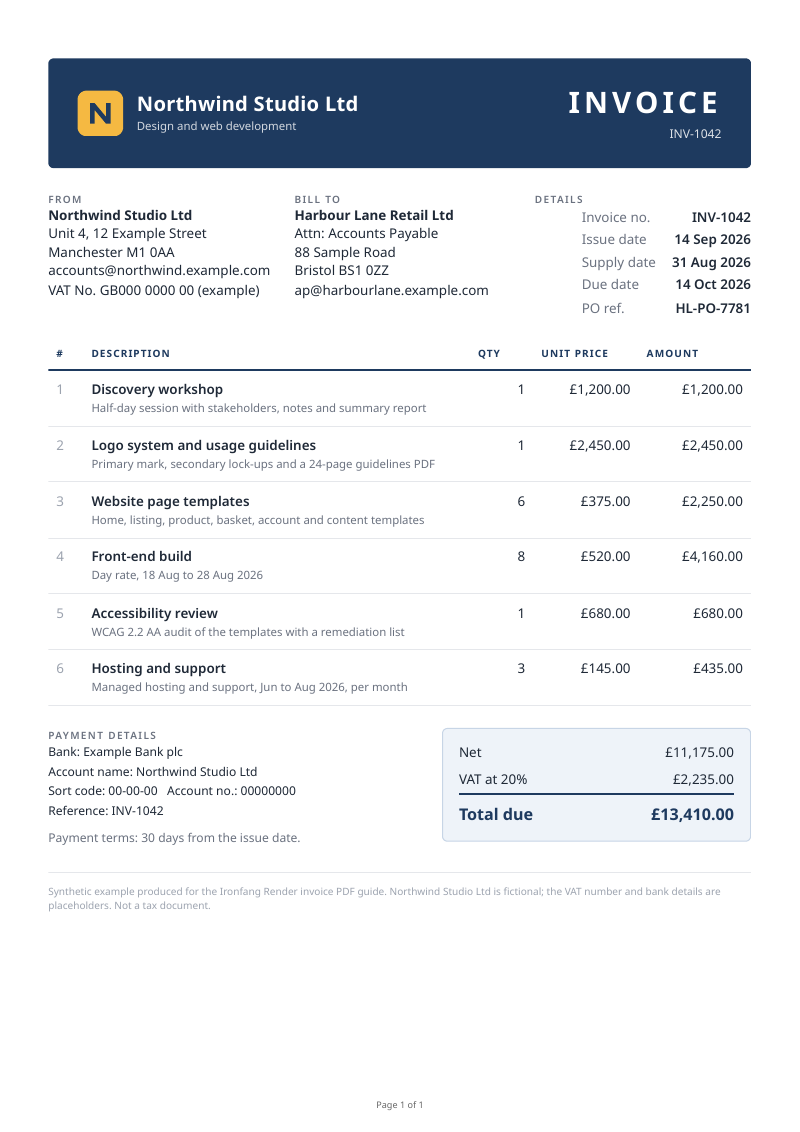
What the settings do
- paper_format: a3, a4, a5, letter, legal or tabloid. Without it the page is Letter.
- print_background: true keeps background colours and images, which print leaves out by default.
- margin: inches, per side. The footer is drawn inside the bottom margin, so the bottom margin is larger.
- header_html and footer_html: templates drawn on every page. Chromium fills the pageNumber and totalPages classes. Sending a footer turns both on, which is why an empty header goes with it; otherwise a date and the page title appear at the top.
When it fails
A success is a 200 with Content-Type application/pdf, and only then is the file written. Everything else is JSON in the form {"error": {"code", "message"}}, and the script prints it and exits with status 1. Some of the errors you can meet:
HTTP 401 invalid_api_key: missing or unknown API key.
HTTP 400 bad_request: paper_format must be one of a3, a4, a5, legal, letter, tabloid, got "a6".- 429 rate_limited: too many renders a minute for the account. Wait and send the request again; the script prints Retry-After when the response has one.
- 429 quota_exhausted: the month's credits are used up. Rendering pauses rather than billing overage.
- 422 render_failed: the page could not be printed, for example because it did not load in time. The credits for it are refunded.
The script does not retry by itself. If you add retries, retry only 429 and 5xx responses, wait between attempts, and leave 400 and 401 alone: they will fail the same way every time. Error messages never include the key or the document.
Converting HTML from your application
The script reads a file, but body["html"] can be any string your code builds, such as a rendered Jinja template. Escape every value you put into the HTML, as the invoice guide shows with html.escape.
When a local library fits better
Python libraries such as WeasyPrint render HTML to PDF on your own machine with their own layout engine, and Playwright drives a local Chromium. They avoid a network call and keep documents on your infrastructure, at the cost of installing and updating the engine, its fonts and system dependencies, and giving it the memory and time a browser needs. A hosted API suits a service that should not run a browser itself; a local engine suits offline work or documents that must never leave your network.
Next
- HTML to PDF API: capabilities, limits and pricing
- Free HTML to PDF converter: try a document in the browser first, no key needed
- PDF request reference: every field, its type and its limits
- HTML invoice template with a working PDF example
- Website screenshots in Python
- Full API reference